Know what is on every rack before anyone walks there.
Captures of MOS as it runs — what your supervisor, packer, dispatcher and head office actually see.
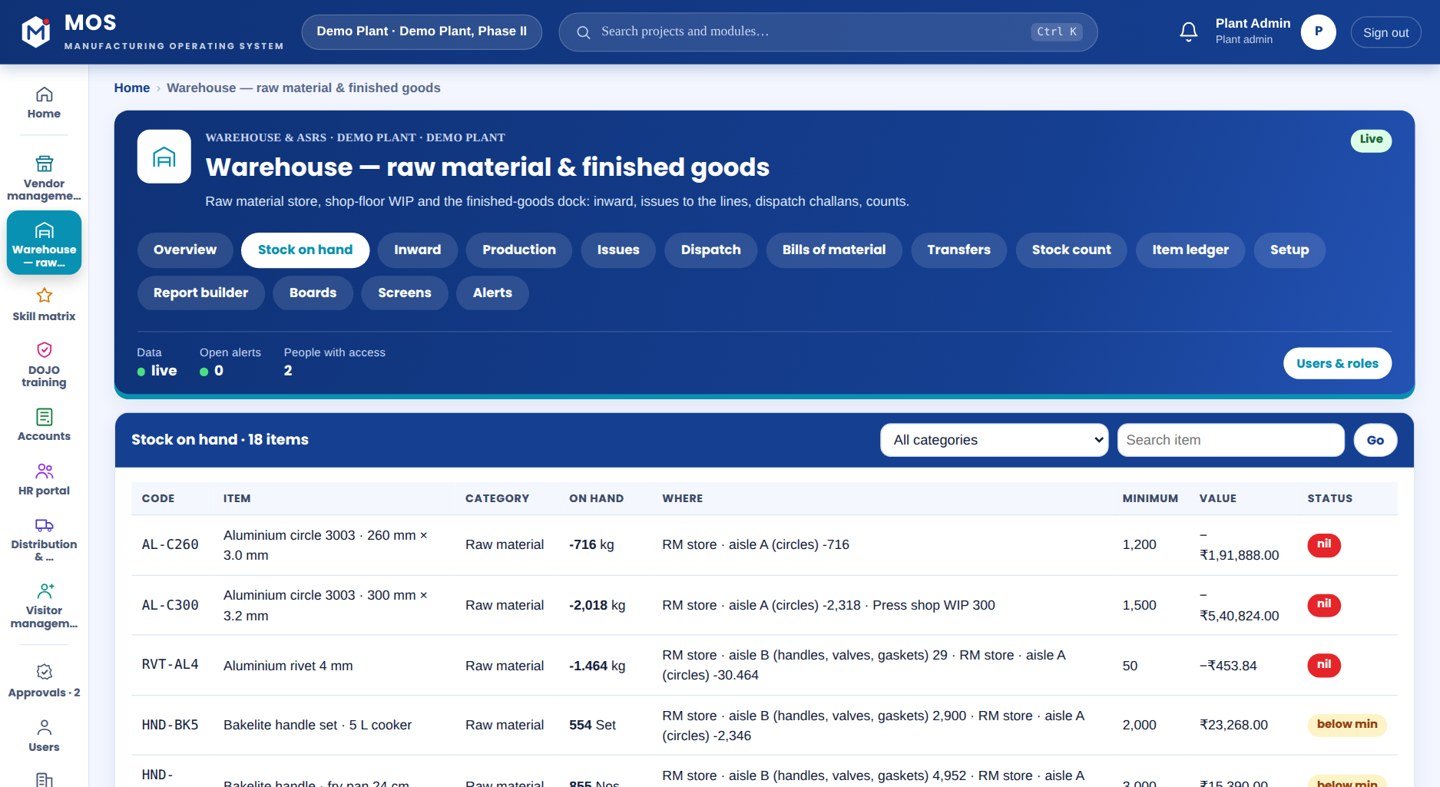
Stock by item and location, built from every inward, issue, production posting and count — never typed.
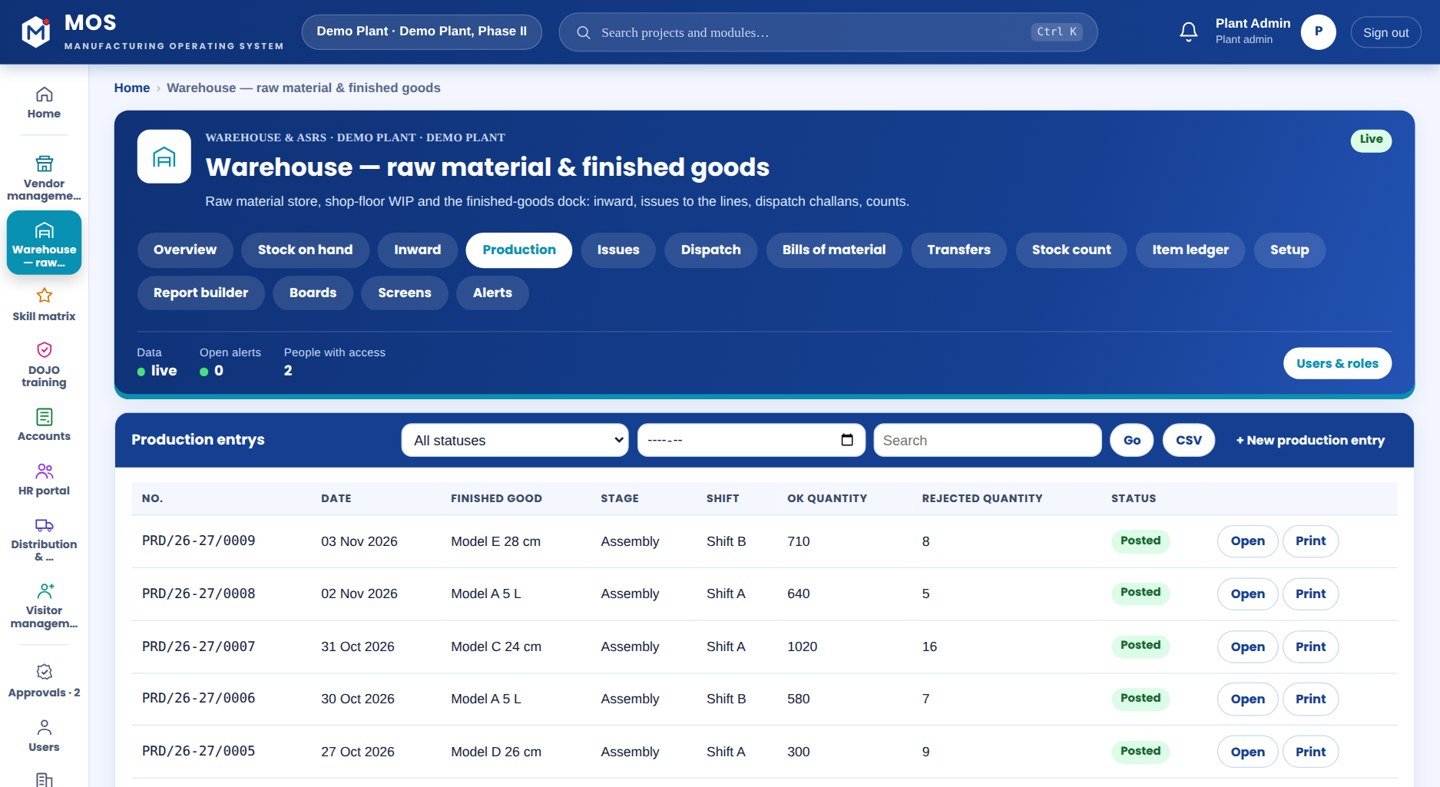
A production entry raises finished goods and consumes raw material by the bill of material in one posting.
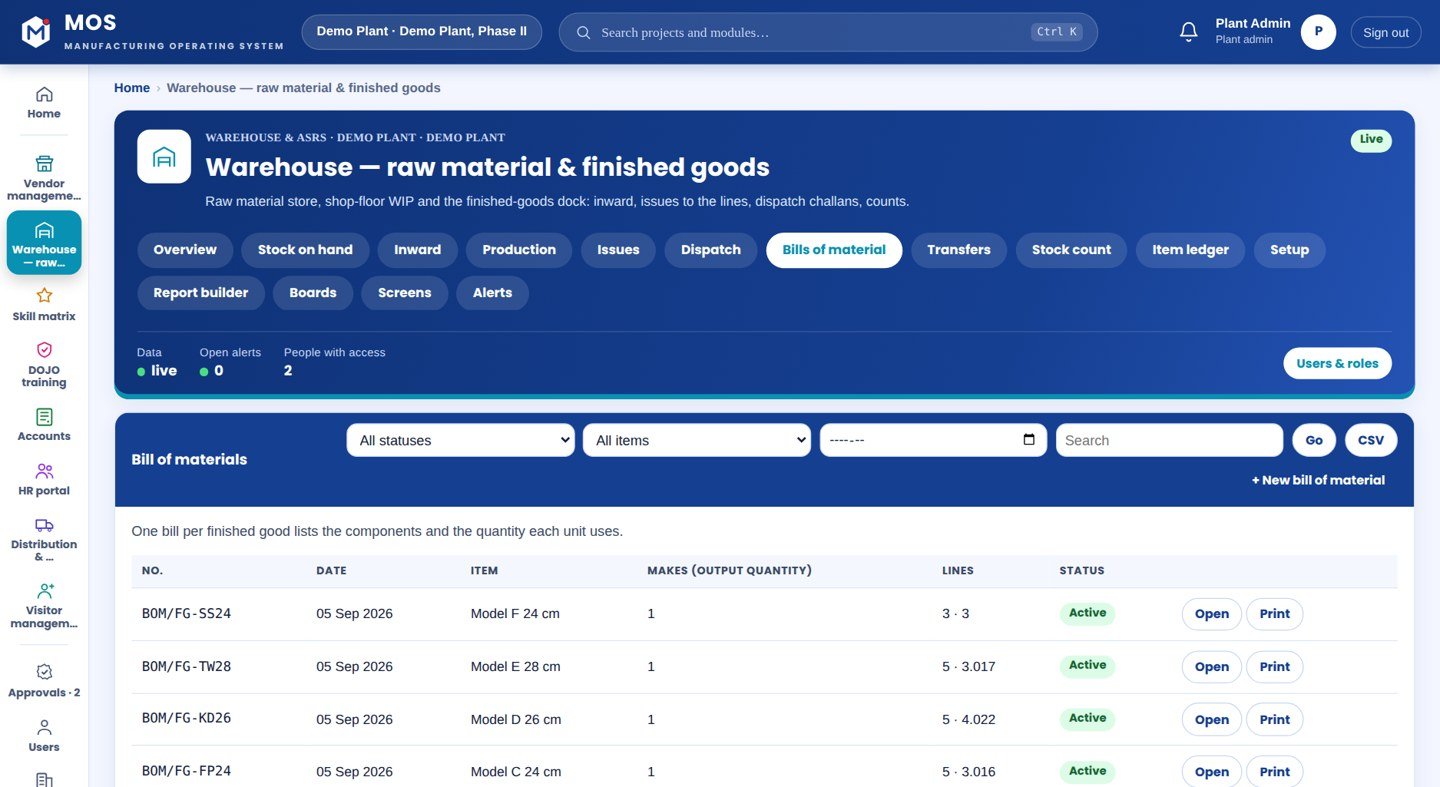
Component list with quantity per unit and scrap allowance; a missing BOM is flagged.
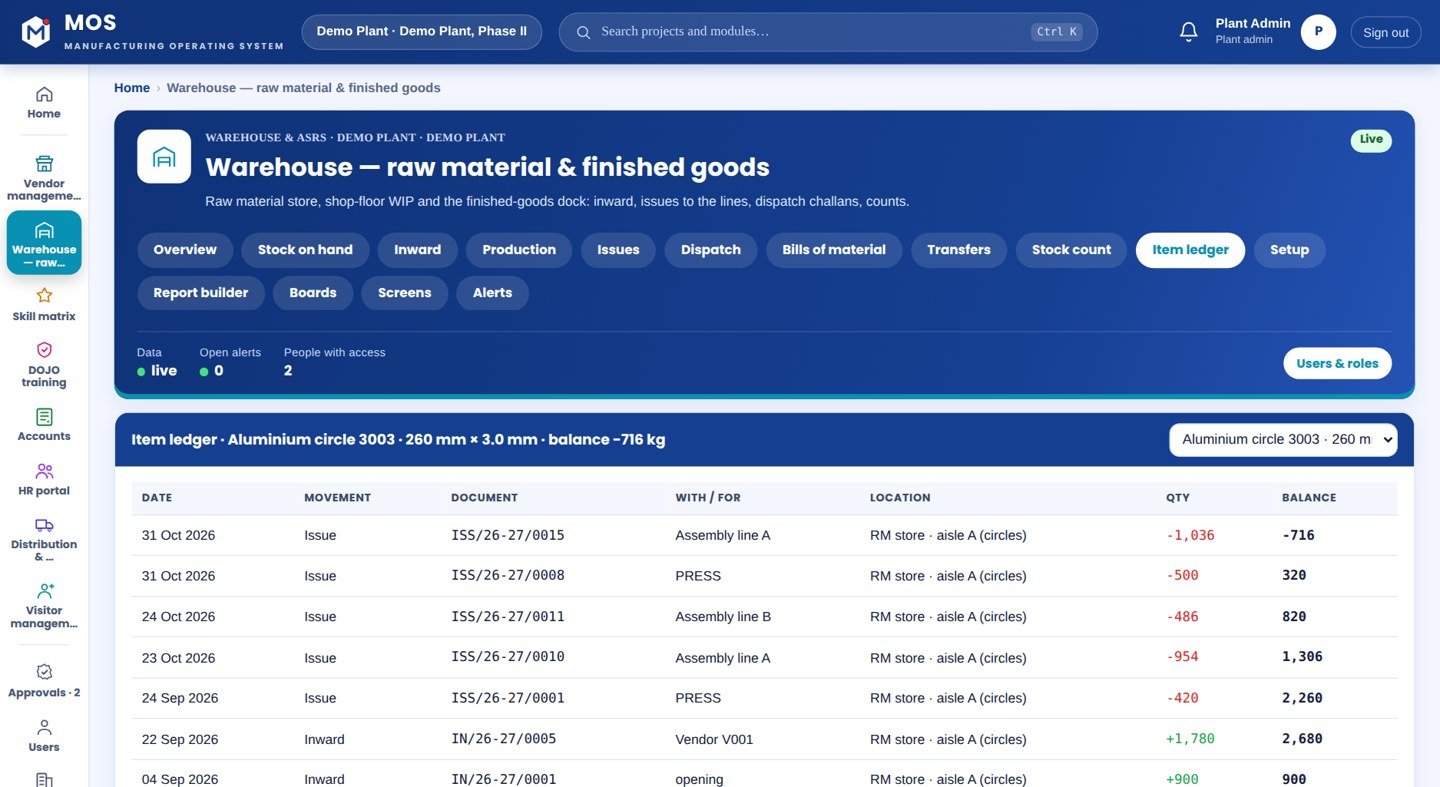
Inward, issue, dispatch and count per item with a running balance.
Receipts, issues and counts live in three places; the rack is the only truth and nobody has walked it today.
“Rack and bin occupancy, stock by part and location, put-away and picking by scan, FIFO, and stock that is always the sum of scans.”
Drawn, not promised: the top row is stock known from a register and a walk to the rack. The bottom row is every receipt and issue scanned, so the rack, the lot and the age are known before anyone walks there.
Hover or tap a stage to see what is captured there.
Not a standalone tool — a product on the MOS platform, sharing one login, one set of people and roles, and one database with every other module. The lit layers are the ones this product uses; the signal path shows how data moves through them.
The honest map, drawn as one thread. Filled nodes are in the product today; outlined nodes are other MOS modules on the same platform; dotted nodes are roadmap and never represented as available until built. Hover a node.
Each card ends with the thing itself as it appears in MOS — not a description of it.
Step through it or let it play. Each step: who does it, on what, what is captured, and the check that guards it.
Racks, bins and locations are set up as they stand; items carry their standard rate and reorder level.
Material is received against the purchase order, accepted or rejected, and put to a location.
A production entry raises the finished good and consumes raw material by the BOM in one posting.
Material is issued to a department or picked for dispatch, FIFO.
Stock moves between locations with a document behind it.
A stock count proposes adjustments; an approver accepts them.
Every movement per item with a running balance, and a reorder report when stock is low.
| Your ERP / Tally typically gives | Stores & Warehouse adds |
|---|---|
| Stock totals in a register | Stock by item and location from scans |
| Production written as one number | OK and reject, with raw material consumed by BOM |
| Counts that never reconcile | Approval-gated counts with the variance shown |
| No idea what to reorder | A reorder report from live stock |
Barcode or RFID scanners for receiving, put-away and picking
A label on every bin and location
MOS Edge in the plant
Crane status read where present
What it connects to, where it runs and what it gives you — the short version your IT and your plant head both want.
Inward, issue, transfer, production with BOM, dispatch, stock counts, item ledger, reorder report.
MOS Vendor (POs, receipts) and MOS Accounts (invoices) on the same item list.
ASRS status needs the controller connected at site.
ASRS crane control — not represented as available.
Capabilities depend on the plant's process and what is connected at site. Nothing on this page is represented as available until it is built and running.
Where to put and where to pick
What material is available now
What is running low
Stock value by location
Barcode or RFID scanners for receiving, put-away and picking.
A label on every bin and location.
The MOS plant server; ASRS controllers connected where present.
Locations and bins labelled and loaded.
Every receipt put away to a suggested bin.
Picks follow FIFO; stock is always the sum of scans.
No. MOS keeps the shop-floor truth by location and hands totals to the ERP.
MOS talks to the ASRS controller for put-away and picking tasks and shows its status.
Every trolley, every gate, every movement — on its own.
See the module →A unique code on every unit, from the line to the distributor — and no one can fool you on quantity.
See the module →Every machine, live — and the real reason it stopped.
See the module →Tell us about your plant and what you want to see. We visit, connect one machine or station, and you watch your own data in MOS before anything is quoted.